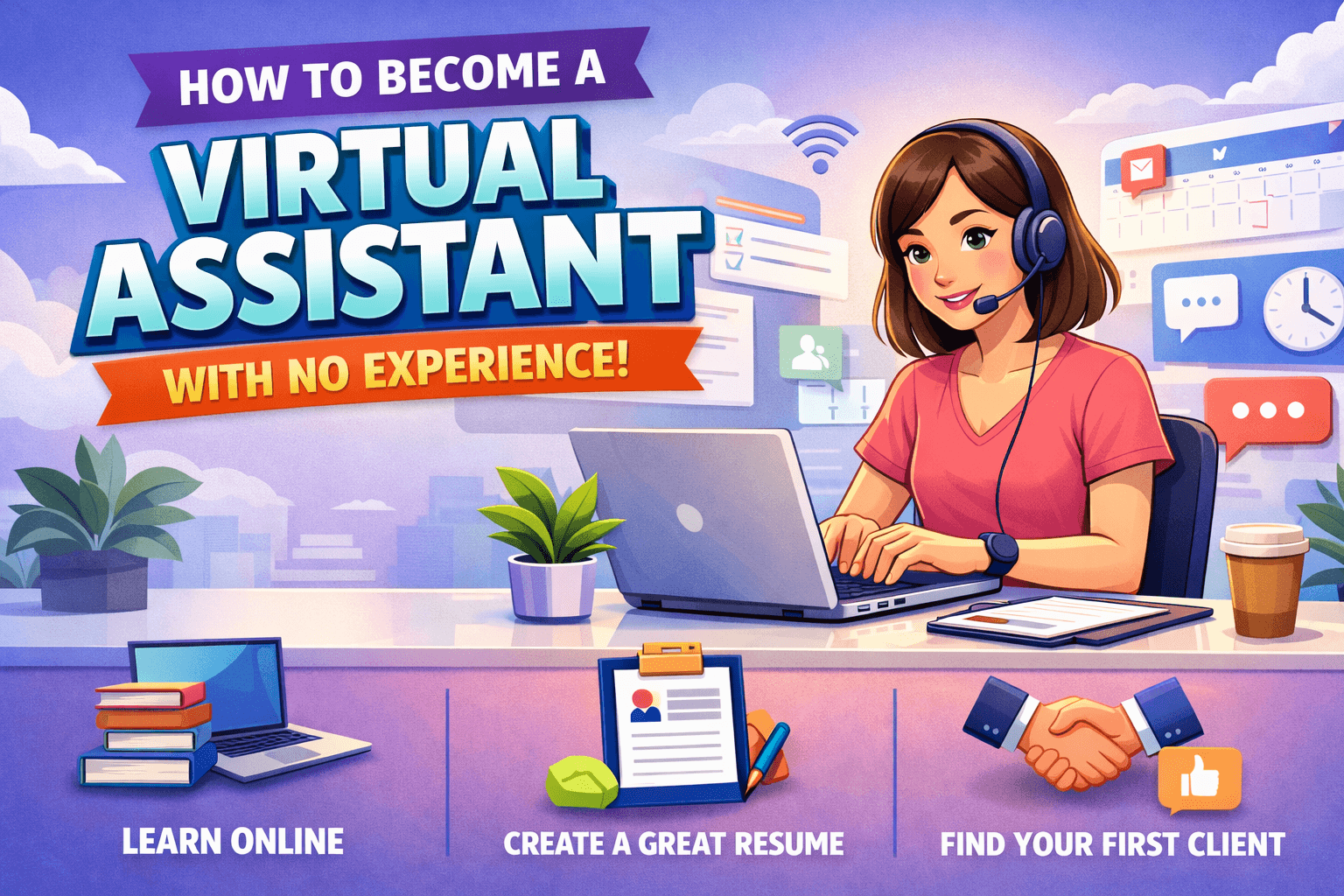
A virtual assistant, usually shortened to VA, is a remote professional who helps a business owner, team, or creator by taking ownership of specific tasks that keep the business moving, which often includes administrative work, customer communication, content support, research, and basic operations that do not require an in-house employee.
When you are brand new, it helps to understand a simple truth that experienced VAs learn early: clients do not hire you because you can click buttons, they hire you because you reduce their mental load, protect their time, and reliably finish work that would otherwise distract them from higher-value decisions, which means your job is to deliver outcomes like “inbox under control,” “calendar no longer chaotic,” “customers answered on time,” or “projects tracked clearly,” rather than merely “I can use Gmail.”
What VAs do all day, in practical terms
Most VA work falls into repeatable categories that are easy to learn, easy to document, and very valuable to clients once you become consistent.
Here are common day-to-day VA tasks you will see across the top ranking guides, phrased in the way clients think about them:
- Email and inbox management, which includes sorting, labeling, responding to routine messages, drafting replies for approval, and setting up filters so the inbox stays manageable.
- Calendar management and scheduling, which includes booking meetings, confirming time zones, sending reminders, and protecting focus time so your client is not in back-to-back calls all week.
- Data entry and organization, which includes updating spreadsheets, cleaning contact lists, and moving information into a CRM or project tracker so it is searchable later.
- Customer support, which includes replying to customer emails, managing a simple helpdesk, handling refunds, and escalating the small percentage of cases that need the owner’s attention.
- Research, which includes competitor scans, lead list building, simple market research, and summarizing findings into a short, usable document.
- Social media support, which for beginners often means scheduling content, repurposing captions, formatting posts, or organizing an editorial calendar, rather than advanced growth strategy.
- Basic content support, which can include uploading blog posts, formatting documents, creating simple Canva graphics, and keeping a content pipeline organized.
You do not need to offer all of these at once, and trying to be “everything for everyone” is a fast way to feel overwhelmed, underpaid, and unsure what to market, so your goal as a beginner is to choose a small set of services you can perform reliably and then market those services with clarity.
Can you become a virtual assistant with no experience?
Yes, you can become a virtual assistant without formal experience, because many VA services map directly to skills you already used in school, past jobs, volunteering, or daily life, and the skill gap is usually “tool familiarity + professional workflow,” not a multi-year credential.
A lot of ranking guides emphasize that beginners succeed when they stop thinking in terms of “job titles” and start thinking in terms of transferable skills, because a client rarely cares whether you were previously called an “assistant,” and they care very much whether you can communicate clearly, meet deadlines, stay organized, and learn tools quickly.
Step 1: build your “transferable skills inventory” (this is your experience)
Set aside an hour, open a document, and write a skills inventory that translates your real-world experience into VA-ready services.
Use these prompts, and write full examples rather than short bullet points, because detailed examples become portfolio stories later.
A. Communication examples
- When have you written an email that solved a problem, clarified a misunderstanding, or coordinated people.
- When have you explained something clearly to someone who was confused.
- When have you handled a complaint, a tense conversation, or a customer-facing situation.
B. Organization examples
- When have you planned an event, coordinated schedules, managed a group assignment, or kept track of deadlines.
- When have you built a system, even a simple one, such as a spreadsheet for expenses or a folder system for documents.
C. Reliability examples
- When have you followed a routine, delivered outputs on time, or kept something running consistently.
- When have you handled repetitive work without letting quality drop.
D. Tech comfort examples
- What tools you already use, such as Google Drive, Docs, Sheets, email, calendars, Canva, or messaging apps, and what you can learn quickly.
This type of translation is highlighted directly in several guides, including frameworks that map everyday skills into VA services, which matters because your first client is likely to hire you for “I need someone dependable who can take this off my plate,” rather than “I need an expert with ten certifications.”
Step 2: choose beginner-friendly services that clients buy quickly
When you are new, you want services with three properties: they are in demand, they are easy to demonstrate with samples, and they do not require deep strategy experience.
Across top ranking pages, beginner-friendly services commonly include:
Inbox and calendar support (high demand, high trust-building)
Inbox and calendar work is boring to many business owners, which is exactly why it sells, because it removes daily friction immediately.
Examples of sellable outcomes:
- “Inbox to zero twice per week and a clean label system.”
- “All meetings scheduled with confirmations and time-zone accuracy.”
- “Weekly email summary with flagged decisions.”
These are common service categories on the ranking guides that list email management and scheduling as core VA services.
Data entry, lists, and research (easy to sample, easy to scope)
Clients constantly need organized information, whether that is leads, vendors, podcast guest lists, or event research.
Examples of sellable outcomes:
- “Build a lead list of 100 targets with emails and LinkedIn URLs.”
- “Create a vendor comparison table with pricing and features.”
- “Summarize competitor content into a one-page brief.”
Research and organization are repeatedly mentioned as accessible tasks for VAs.
Customer support (straightforward, process-driven)
Support work is often template-based, which means a beginner can succeed quickly by following scripts, tagging issues, and escalating edge cases.
Examples of sellable outcomes:
- “24-hour response time Monday to Friday.”
- “Refunds handled, FAQ updated, issues categorized for product improvements.”
Customer service is a frequent beginner service in the ranking content.
Social media scheduling and light content support (avoid “growth strategist” positioning at first)
Beginners can do well with scheduling tools, content calendars, and simple repurposing workflows, while avoiding promises about virality or growth until they have proof.
Examples of sellable outcomes:
- “Schedule posts weekly, format captions, and maintain a content calendar.”
- “Turn one long post into five short posts and schedule them.”
Social media services and content support show up as common VA offerings.
Step 3: pick a niche without trapping yourself
Many beginners get stuck here because they believe they must pick one narrow niche immediately, while the more practical approach is to pick a niche that improves clarity without blocking future growth.
A simple way to niche that stays flexible is to pick one of these three niche types:
1) Service niche
You become “the inbox and calendar VA,” or “the research and operations VA,” which makes your marketing easy and your onboarding repeatable.
2) Industry niche
You work mostly with coaches, real estate teams, e-commerce sellers, podcasters, or local service businesses.
3) Tool niche
You specialize in a tool stack, such as Notion setup, Trello workflows, or Google Workspace organization, which works well when clients are drowning in scattered systems.
Several ranking guides recommend choosing services first, then refining toward a niche as you learn what you enjoy and what the market rewards.
Beginner recommendation: start with a service niche, because it is easiest to show proof and easiest to sell quickly, and then layer an industry niche later once you notice patterns among the clients who respond.
Step 4: learn the tools fast, but only the ones you need
You do not need to learn every tool on the internet, and doing that is a classic procrastination loop disguised as productivity.
Instead, pick a “core stack” that covers most entry-level VA work:
- Google Workspace: Gmail, Calendar, Docs, Sheets, Drive.
- Microsoft Office: Word and Excel basics, especially if clients are corporate or operations-heavy.
- Project management: Trello or Asana for task tracking.
- Communication: Slack and Zoom etiquette, including concise updates and clear agendas.
- Basic design: Canva for simple assets, social templates, and formatting.
The “proof over courses” rule
If you have no experience, the fastest credibility builder is not a certificate, and it is a visible sample that proves you can do the exact task a client needs.
So for every tool you learn, create a small artifact:
- a sample Trello board for a content calendar,
- a cleaned Google Drive folder structure,
- a customer support tagging system in a spreadsheet,
- an inbox label workflow in a written SOP.
This is aligned with the “learn and apply” approach emphasized in multiple beginner guides, including step-by-step plans that move you from skill inventory into a launch plan with weekly actions.
Step 5: build a portfolio even if you have never had a client
A portfolio is not “a collection of paid work,” and a portfolio is “evidence that you can create outcomes,” which means you can build one ethically without pretending you were hired.
Here are three portfolio methods that work well for beginners.
Method A: spec samples (mock projects)
You create a realistic example for a fictional client, and you label it clearly as a sample.
Examples:
- A before-and-after inbox organization walkthrough using a dummy Gmail account.
- A one-page SOP titled “Weekly Calendar Cleanup Process.”
- A lead list spreadsheet of 50 sample leads for a made-up niche, showing research quality and formatting.
Method B: personal systems as proof
If you already run your life with checklists, templates, or spreadsheets, you can adapt those into business-ready formats.
Examples:
- A budget tracker becomes a “simple bookkeeping tracker template.”
- A study schedule becomes a “weekly project tracker.”
Method C: limited pilot offers (discounted or short volunteer projects with boundaries)
Some guides recommend offering work free or at a discount early on, which can be useful if you do it with a tight scope, a time limit, and a clear goal of getting a testimonial and a case study.
A safe structure looks like this:
- “Two weeks of inbox cleanup support, up to 3 hours per week, in exchange for a testimonial and permission to anonymize results.”
This keeps you from becoming someone’s indefinite free labor, while still giving you a fast path to proof.
Step 6: set rates and packages in a way beginners can actually sell
Pricing is emotional when you are new, because you are trying to price yourself before you feel “ready,” and the way out is to price based on scope and outcomes, while giving yourself room to grow.
Common pricing models
Hourly works when the scope is unclear, or when the client is testing you.
Retainers work when work is ongoing, such as weekly inbox management or recurring customer support.
Fixed packages work when your workflow is repeatable, such as “weekly social scheduling” or “monthly operations cleanup.”
Many ranking guides discuss setting fees early and then raising them as you gain proof, which is important because pricing is not a one-time decision and it changes with speed, confidence, and specialization.
A beginner-friendly pricing ladder
Instead of guessing a perfect rate, use a ladder:
- Starter rate for your first 1–2 clients, where you are paid but still learning, and where the scope is tightly defined.
- Standard rate once you have testimonials and a repeatable workflow.
- Specialized rate once you own a niche service, such as systems setup, email marketing support, or advanced operations.
One of the SERP pages even provides sample charge ranges tied to services in a “skills translation” style table, which reflects the market reality that different services support different pricing ceilings.
A note on income expectations
Some guides provide earnings ranges, but the most honest way to frame income is that it depends on your service type, your client type, your reliability, and whether you package work into retainers rather than chasing one-off gigs.
For example, one ranking guide states that some VAs can earn strong hourly rates, especially when specialized, which is consistent with the idea that specialization increases pricing power over time.
Step 7: set up a simple, professional presence that gets replies
You do not need a fancy website on day one, and you do need a way for a client to quickly answer three questions:
- What do you do,
- Who do you do it for,
- How do I contact you.
Minimum viable online presence
- A simple one-page profile, which can be a basic website, a LinkedIn profile, or a clean portfolio page.
- A short service menu, listing 3–5 services you offer now.
- One to three samples or case studies, even if they are spec samples.
- A contact method and your availability.
“Build your online presence” is explicitly part of the step-by-step process in the leading guides.
A service menu template you can copy
Pick one of these bundles so clients can self-select.
Bundle 1: Admin Relief Starter
- Inbox triage twice per week
- Calendar scheduling and confirmations
- Weekly task list and follow-ups
Bundle 2: Research and Organization Starter
- Lead list building and cleanup
- Spreadsheet formatting and updates
- Weekly research summary
Bundle 3: Customer Support Starter
- Support inbox monitoring
- Response templates and tagging
- Weekly report of common issues
The key is that each bundle is a client-friendly outcome, not a long list of random tasks.
Step 8: find your first clients without feeling spammy
When you are new, your job is not to “apply everywhere,” and your job is to create a repeatable pipeline that includes both platforms and direct outreach, because different clients hire in different ways.
Channel A: freelance platforms and job boards
Several ranking articles list or reference platforms as a way to get started, and one of them explicitly highlights Fiverr, Upwork, and FlexJobs among “top platforms.”
If you use platforms, the beginner advantage is speed, because clients already have intent to hire, while the beginner disadvantage is competition, which means your profile and proposals must be specific and outcome-focused.
How to win as a beginner on platforms
- Bid on small, clearly scoped tasks you can do fast and well.
- Write proposals that mention the client’s goal, the steps you would take, and the output they receive.
- Offer a simple first milestone so the client feels low risk.
Channel B: direct outreach (the fastest way to skip competition)
Direct outreach works when you focus on fit rather than volume.
A practical approach:
- Choose a small client type, such as coaches, solo founders, podcasters, or local service businesses.
- Find 30 prospects who clearly show they are busy, growing, or hiring.
- Send a short message that offers one specific outcome, with a simple call to action.
A DM/email script that does not feel desperate
“Hi [Name], I came across your [podcast/newsletter/site] and noticed you are publishing consistently, which usually means your inbox and scheduling load is rising as well. I offer a simple VA support package where I handle inbox triage, meeting scheduling, and weekly follow-ups, so you start the week with a clean slate and fewer loose ends. If you want, I can send a one-page outline of how I would set this up for you, and you can tell me whether it fits.”
This works because it demonstrates you understand their reality, you offer a specific result, and you make the next step easy.
Channel C: communities and networking
Networking is repeatedly mentioned as an important lever, because referrals and peer communities shorten your learning curve and help you find opportunities that never get posted publicly.
A simple way to network without being awkward is to join one VA community and one client-type community, then consistently contribute with helpful answers, templates, and small wins, because the market rewards visible competence.
Step 9: a realistic 30-day plan to your first client
A ranking guide explicitly lays out a 30-day launch plan concept with week-by-week actions, and the structure works because it forces momentum without requiring perfection.
Here is a version optimized for complete beginners.
Week 1: foundation and clarity
- Create your transferable skills inventory and choose 3 services maximum.
- Pick your “starter niche,” which can be service-based.
- Build your simple service menu with 1–2 bundles.
Deliverable by end of week: a one-paragraph pitch and a service menu.
Week 2: tools and proof
- Learn only the tools required for your services.
- Create 2–3 portfolio artifacts, using spec samples or personal systems.
- Write one SOP that shows how you work, such as “Inbox Triage Workflow.”
Deliverable by end of week: a simple portfolio page with samples.
Week 3: outreach and offers
- Create a list of 30 prospects.
- Send 10 outreach messages, then follow up politely on day 3–4.
- Apply to 5–10 highly relevant platform postings with customized proposals.
Deliverable by end of week: conversations booked, even if small.
Week 4: close and onboard
- Run 2–4 discovery calls using a question list.
- Offer a starter package with clear scope and a clear first milestone.
- Onboard with a checklist: access, expectations, reporting cadence, first-week priorities.
Deliverable by end of week: your first paid client, or at minimum, a clear feedback loop that improves your offer and messaging.
If you do not land a client in 30 days, the process still works because it produces measurable data: which niche responded, which messages got replies, and which service packages felt most attractive.
What to say on a discovery call when you are new
A discovery call is not a test of your “years of experience,” and it is a test of your ability to understand the problem, propose a simple plan, and communicate clearly.
Use questions like these:
- “What tasks keep repeating every week that you wish were handled?”
- “What does success look like in 30 days, in specific terms?”
- “What tools are you already using, and what is currently messy?”
- “What would you like to never think about again?”
- “How do you prefer updates, and how often, so you never wonder what’s happening?”
Then summarize what you heard in one clean recap, and propose a starter scope that is easy to say yes to.
Common beginner mistakes that slow you down (and how to avoid them)
Mistake 1: learning forever, launching never
You do not need to feel confident to start, and you need a small offer and consistent outreach, because confidence comes from shipping work, not from watching more tutorials.
Mistake 2: offering too many services
A menu of 25 services makes a client confused, and a client who is confused usually does not hire.
Pick three, make them clear, then expand later.
Mistake 3: under-scoping and over-delivering
Offering “unlimited support” is a fast route to burnout, especially as a beginner, so scope your work with hours, deliverables, and a weekly cadence.
Mistake 4: chasing low-quality clients
Low-quality clients create chaos, pay late, expand scope, and reduce your belief in your own value, while solid clients respect boundaries and pay for outcomes.
FAQs: becoming a virtual assistant with no experience
How long does it take to become a virtual assistant?
You can set up the basics in a few weeks, because you do not need formal qualifications to begin, and your speed depends mostly on how quickly you choose services, build samples, and start outreach.
Do I need qualifications or a degree?
Most guides emphasize that formal qualifications are not required for entry-level VA work, and what matters more is reliability, communication, and the ability to learn tools quickly.
What skills matter most?
Soft skills like time management, communication, and self-motivation are repeatedly called out as crucial, because VA work often involves juggling tasks and working independently.
Where can I find virtual assistant jobs or clients?
Common starting points include freelance platforms and job boards, along with direct outreach and networking, and at least one ranking page explicitly lists examples like Upwork, Fiverr, and FlexJobs as platforms people use to start.
Is being a virtual assistant worth it?
It can be worth it if you value flexibility and you are willing to build consistency and client communication skills, because the role scales as you move from general tasks into specialized services.
Final checklist: your first client, step-by-step
If you want the shortest path from “no experience” to “paid VA,” follow this checklist in order, and do not add extra steps.
- Pick 3 beginner-friendly services you can perform reliably.
- Learn the minimum tools for those services and create 2–3 samples.
- Write a simple service menu with 1–2 bundles.
- Build a one-page presence with your offer, samples, and contact method.
- Outreach daily to a small list of ideal clients with a specific outcome.
- Run discovery calls, propose a starter scope, deliver clean results, then collect testimonials and raise rates.